
HELP CENTER
What you can do with DDash Admin Console
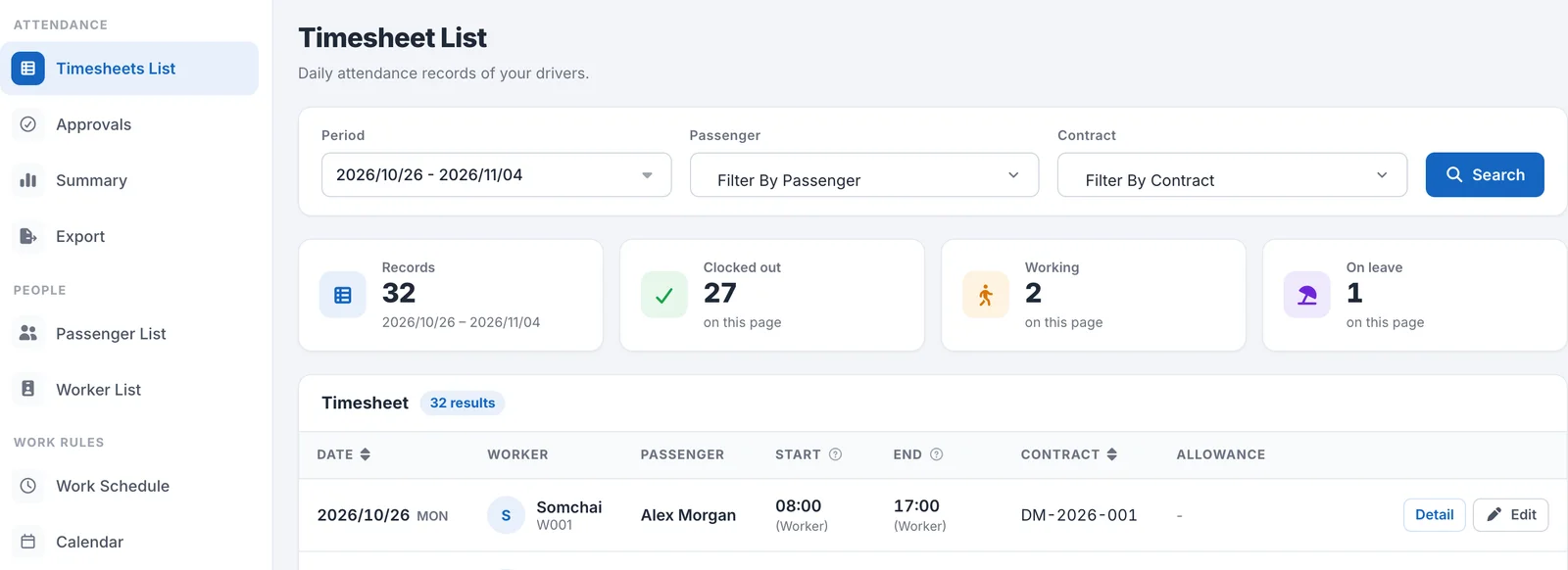
DDash Admin Console is a web screen from DriveZ for company staff at corporate customers. You can check drivers' timesheets, approve stamps, export timesheet data, and manage the work calendar.
Last updated: 2026-11-04
What is DDash Admin Console?
DDash Admin Console is a web screen for staff at companies that use DriveZ drivers. You can check the timesheets of drivers connected to your company and approve stamp requests from drivers.
DriveZ gives you the URL and account for signing in. For the steps, see How to sign in, and what to do if you forget your password.
Menu structure
The menu on the left of the screen is divided into the following three sections.
| Section | Menu | What you can do |
|---|---|---|
| Attendance | Timesheets List | Check drivers’ daily timesheet records (details) |
| Attendance | Approvals | Approve or reject stamp requests from drivers (details) |
| Attendance | Summary | Check overtime hours by Passenger for the period you choose (details) |
| Attendance | Export | Export timesheet data as CSV or Excel |
| People | Passenger List | Check the contact details and assigned Worker of your company’s Passengers (details) |
| People | Worker List | Check the Workers assigned to your company (details) |
| Work Rules | Work Schedule | Check the working hours and rules that apply to drivers (details) |
| Work Rules | Calendar | Check Holidays and Working Days (details) |
From the account menu at the top right of the screen, you can change your Profile (account information) and Sign out (details).
Terms
| Term | Meaning |
|---|---|
| Worker | A driver assigned to your company. |
| Passenger | The passenger who is driven by the driver. A Passenger can also approve stamps. |
| Timesheet | A driver’s attendance record for one day. |
| Approval | A stamp request from a driver. You approve or reject it. |
| Work Schedule | The working hours and rules that apply to drivers. |
View-only features and features you can act on
Most screens are view-only. If you need something changed, please ask DriveZ.
| Menu | What you can do |
|---|---|
| Timesheets List | View. Correcting timesheet times is available only if enabled in your settings |
| Approvals | Approve or reject stamp requests |
| Summary | View only |
| Export | Export timesheet data |
| Passenger List | View only |
| Worker List | View. Changing the assigned Passenger is available only for drivers your company arranged yourselves |
| Work Schedule | View only |
| Calendar | View. Registering Holidays and renaming them is available only if enabled in your settings |
| Profile | Change your company name, login email, password, and notifications |
Features that depend on your company’s settings
Whether you can correct timesheet times and edit the calendar depends on your company’s settings. If they do not appear, they are disabled in your settings. Please contact DriveZ.