
DZ FLEET — GPS VEHICLE MANAGEMENT
Is your company car being used behind your back?
DZ Fleet is vehicle management that joins attendance data to GPS. Whether the car is taken out after hours, slips away mid-shift, or moves while it is supposed to be waiting, we detect it and let you know.
Talk to us about DZ Fleet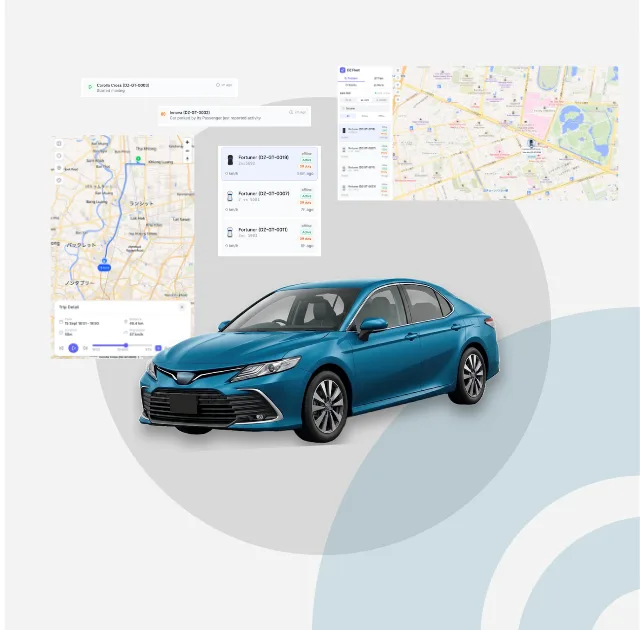
THE PROBLEM
In-house drivers or a dispatch company - it happens either way.
This is not a story about unlucky companies. Whether you employ your drivers directly or leave it to a dispatch provider, the same things happen. In most cases the company simply has not noticed. In Thailand it is common for a dedicated driver to take the car home at the end of the day, and the company only has visibility during working hours. These are the situations that keep coming up.
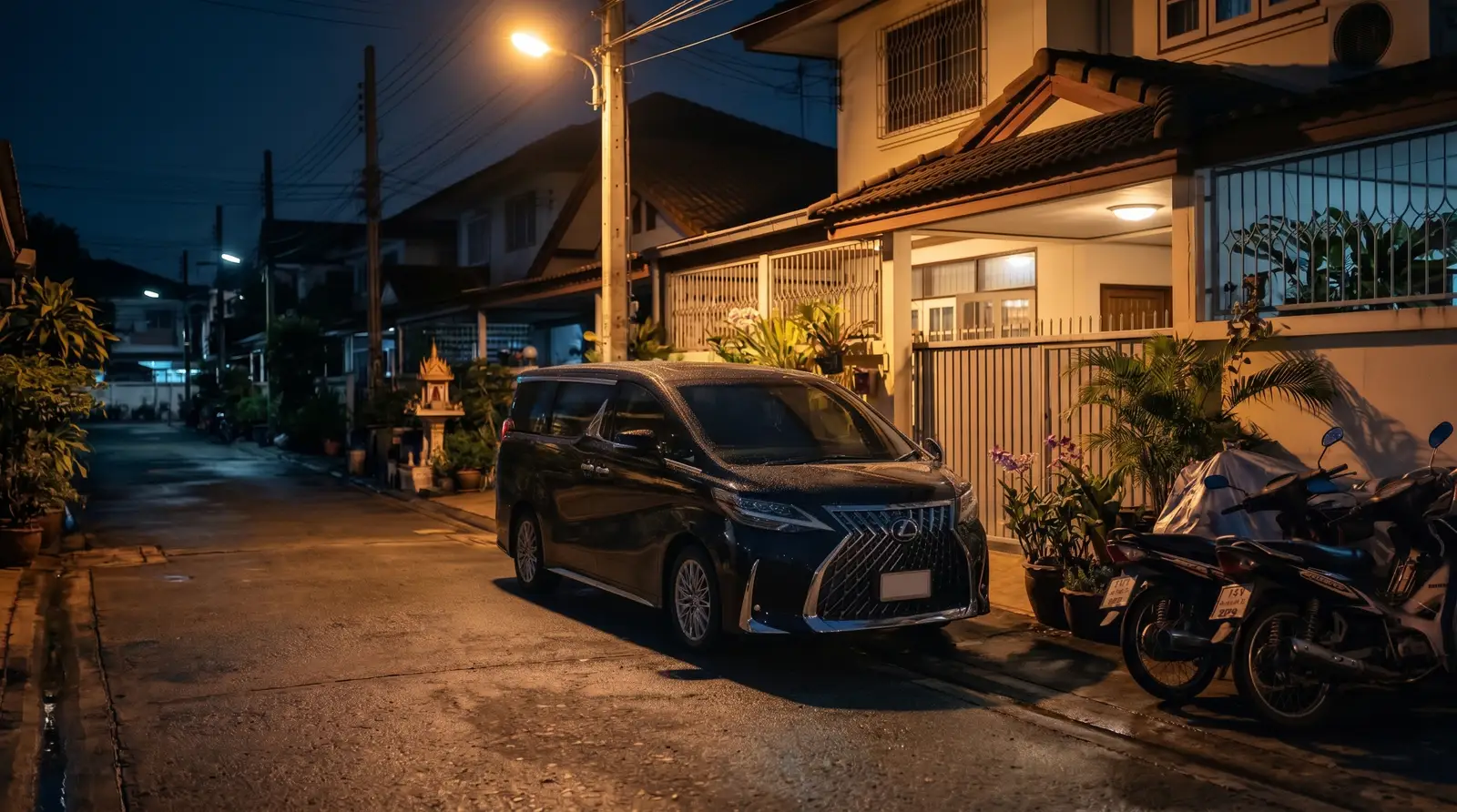
Unauthorised private use - gaps in the day, nights and weekends
Idle time between jobs, after the executive has left for the day, and weekends. The car gets used where the company has no visibility. Not only for personal errands - sometimes as a second income, driving for a ride-hailing app.
Padded fuel and toll claims
Distance that was never driven is claimed and refuelled against. Easy Pass charges from private trips are billed to the company. The receipts are there; what is missing is anything confirming the journey actually happened.
The car leaves while it is waiting
The executive is in a meeting, at dinner or out on the golf course, and the car is waiting. Because it falls inside working hours, nothing shows up in the usual attendance records - but the car leaves, runs an errand and comes back.
Suspicion you cannot resolve
You end up doubting people without any proof, and trust on the ground erodes. Drivers who have done nothing wrong get looked at the same way.
The cause is the same in every case: there is no way to connect the fact that the car moved with the question of whether that journey was for work.
RULES ARE NOT ENOUGH
Rules and training have not stopped it.
Every company writes it into the staff handbook and explains it on day one. It still happens. If nobody can tell when a rule has been broken, the breach simply continues. What is needed is not more enforcement on paper, but a way to catch it early and keep the damage small.

Broken, and nobody knows
The rule exists, but nothing records that it was actually followed. Once breaches go unnoticed for long enough, the rule quietly becomes a formality.
By the time you notice, it has been running for months
Odd mileage at month end, fuel costs that do not add up, or a call about an accident - by then it has been going on for a long time. The sooner it surfaces, the smaller the loss.
Left unchecked, it spreads
Once it is clear that nothing gets caught, it happens again. Plenty of companies have simply written it off as unavoidable and absorbed it into their costs.
DZ Fleet closes the gap that rules alone leave. If you know the moment a car moves when it should not, you can stop the loss the same day.
WHY YOU CAN'T SEE IT
Fitting a GPS alone won't tell you whether a trip was for work.
GPS can tell you a vehicle is moving. But to tell whether that movement is for work or not, you need to cross-check it against attendance data. What you can actually see depends on where these two data sets live.
| Your current situation | Attendance data | GPS data | What you can tell |
|---|---|---|---|
| You employ your drivers directly | In-house (attendance system, paper, or Excel) | A separate system, even if installed | You can see the car is moving, but not whether it's for work |
| You use another dispatch provider | The dispatch provider | In-house, or none at all | The data sits across two companies, so there's no way to cross-check it |
| DriveZ + DZ Fleet | DriveZ | DriveZ | The same provider holds both, so they're cross-checked automatically to detect movement |
You employ your drivers directly
Attendance data
In-house (attendance system, paper, or Excel)
GPS data
A separate system, even if installed
What you can tell
You can see the car is moving, but not whether it's for work
You use another dispatch provider
Attendance data
The dispatch provider
GPS data
In-house, or none at all
What you can tell
The data sits across two companies, so there's no way to cross-check it
DriveZ + DZ Fleet
Attendance data
DriveZ
GPS data
DriveZ
What you can tell
The same provider holds both, so they're cross-checked automatically to detect movement
GPS device makers don't hold attendance data. Dispatch providers don't hold GPS data. This only works because we've built and run both ourselves.
WHAT MAKES IT WORK
Three reasons DZ Fleet works differently.
Attendance and GPS sit inside the same provider
That's what makes it possible to tell that a car moved during a window when every driver assigned to it had already clocked out. This isn't a bolt-on feature — it's a mechanism that only comes from how the business itself is structured.
You see exactly what we see
Alerts reach DriveZ and you at the same time, so there's no room for a dispatch provider to cover for its own drivers. From the notification, you can go straight to seeing exactly where and how the vehicle moved.
You don't need to assign someone to watch it
A common failure with GPS systems is that they get installed, and then nobody's actually watching the alerts. With DZ Fleet, DriveZ keeps watching even when you're not — AI detects the alert and notifies our operations team.
OFF-DUTY MOVEMENT
If a vehicle moves outside working hours, we detect it and let you know.
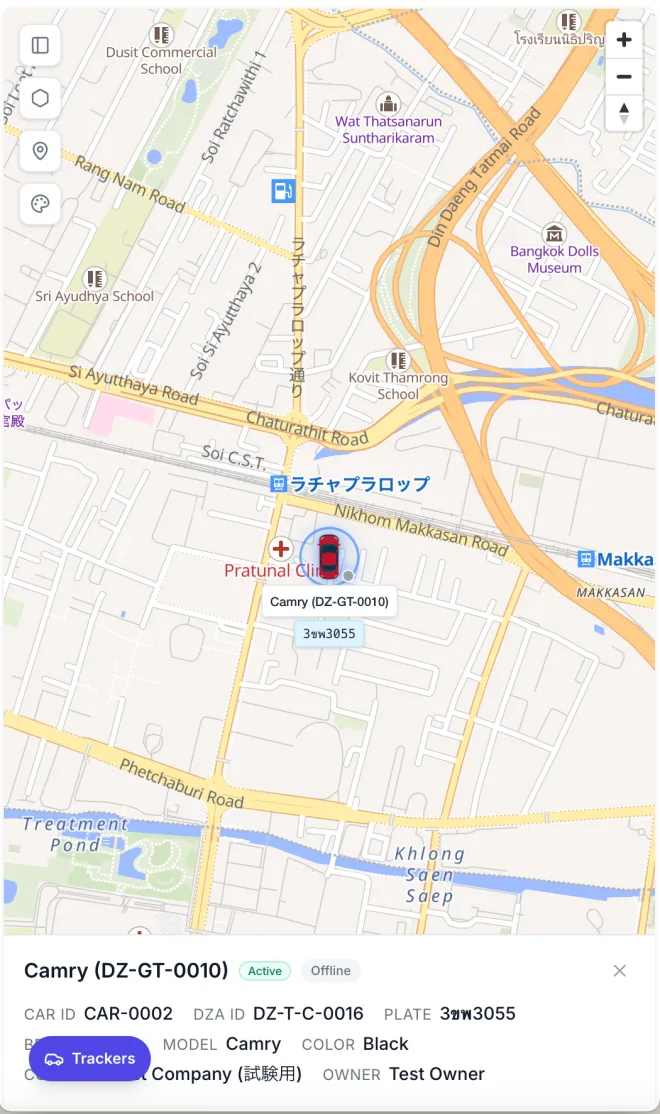
What DZ Fleet watches is whether this car is currently allowed to move. Two things set that state: outside working hours it is set automatically from attendance data, and during the working day the passenger can set the car to parked. In either state, if the car starts moving, we detect it and let you know.
Outside working hours, automatically
Every car has an assigned driver. Once that driver is checked out, the car is covered without anyone configuring anything. Where more than one driver is assigned, it applies once all of them are checked out.
During the working day, by setting the car to parked
The passenger can switch the car to parked themselves. Do that while stepping away for a meeting, a dinner or a round of golf and the car is covered even inside working hours - which is how a car slipping away mid-shift or while waiting gets caught.
To DriveZ and to you at the same time
The alert reaches our operations team and the passenger's phone at the same moment. Notifications are available in Japanese, English and Thai.
Check what actually happened, there and then
Open the app straight from the notification and see the route the car actually took and where it went. You can judge the same day whether it was expected.
OUR COMMITMENT
If misuse is confirmed, DriveZ covers it.
We do not stop at detecting it and telling you. Where a driver we placed with you is confirmed to have used the car improperly, you do not carry that cost - we reimburse it. If we place the driver, we should answer for how the car gets used.
Applies to drivers placed by DriveZ. Full terms are set out when you contract with us.

WHAT YOU GET
What DZ Fleet gives you.
It's not just off-duty detection. DZ Fleet covers everything you need for day-to-day vehicle management.
Real-time location
See where every active vehicle is right now, all together on a map. Plate number, model, and assigned driver are all visible at a glance.
Trip history and route playback
Pick a date and a vehicle to replay that day's trip, complete with the route. Stops are recorded too, so you can later check whether a delay was really traffic.
Speeding alerts
Detects driving above a speed you set.
Vehicle fault alerts
Detects and reports issues from the in-vehicle device — SOS, power disconnection, collision, low battery, signal jamming, and more.
Geofence entry and exit
Records vehicles entering and leaving areas you define on the map — useful for a depot or an industrial estate, for example.
Watch a car that should not be moving, even during work hours
Set a car to parked status and you will be notified if it moves, even inside working hours. That covers the car slipping away while its passenger is in a meeting, at dinner or out on the golf course.
A dashboard of driving activity
Choose a period to review distance driven, alert trends, and any devices that have gone silent. A daily summary is generated automatically.
Control who sees what
Visibility can be split by company or by individual user. You can also share a single vehicle through a link that doesn't require a login.
HOW TO START
How to get started.
We'll start by understanding your current situation, then propose the scope you need. If it involves switching drivers, we'll walk through it step by step.
Consultation
We'll ask about your fleet size, how you currently manage vehicles, and what's not working. This applies whether you employ your drivers directly or use another dispatch provider.
Proposal & quotation
We quote based on your fleet size and how you plan to use it. If you want off-duty detection, we'll also propose the driver arrangement it requires.
Device installation & setup
We install the GPS device in each vehicle and set up the admin console. Linking vehicles to their users is also completed at this stage.
Go live
We start operation while you check how alerts come through. Because DriveZ keeps watching too, you don't need to monitor it alone.
Frequently Asked Questions
Can we use this even if we don't use DriveZ's driver dispatch?
+
How much does it cost?
+
Can we keep using the GPS already fitted to our company cars?
+
Doesn't this end up monitoring the drivers?
+
Will I be notified when the car is moved for a wash or to refuel?
+
How far back can we see trip data?
+
CONTACT US
Start by telling us your current situation.
We'll ask about your fleet size and how you currently manage your vehicles, then propose the scope you need. This applies whether you employ your drivers directly or use another dispatch provider.
Thank You!
Your submission has been received.
We will be in touch and contact you soon!