
HELP CENTER
Checking the overtime summary
Summary shows overtime hours by Passenger for the period you choose. The figures shown are provisional.
Last updated: 2026-11-04
Choosing the period and target
Open “Summary” under “Attendance” in the left menu and choose what you want to total.
- Choose a period in “Period”.
- If needed, choose a Passenger in “Filter By Passenger”.
- Click “Search”.
Depending on your settings, you can also filter by contract (Contract) with “Filter By Contract”. If it does not appear, it is disabled in your settings. Please contact DriveZ.
The period you can choose is up to 31 days. A longer period cannot be totaled. Shorten the period and try again.
Reading the summary
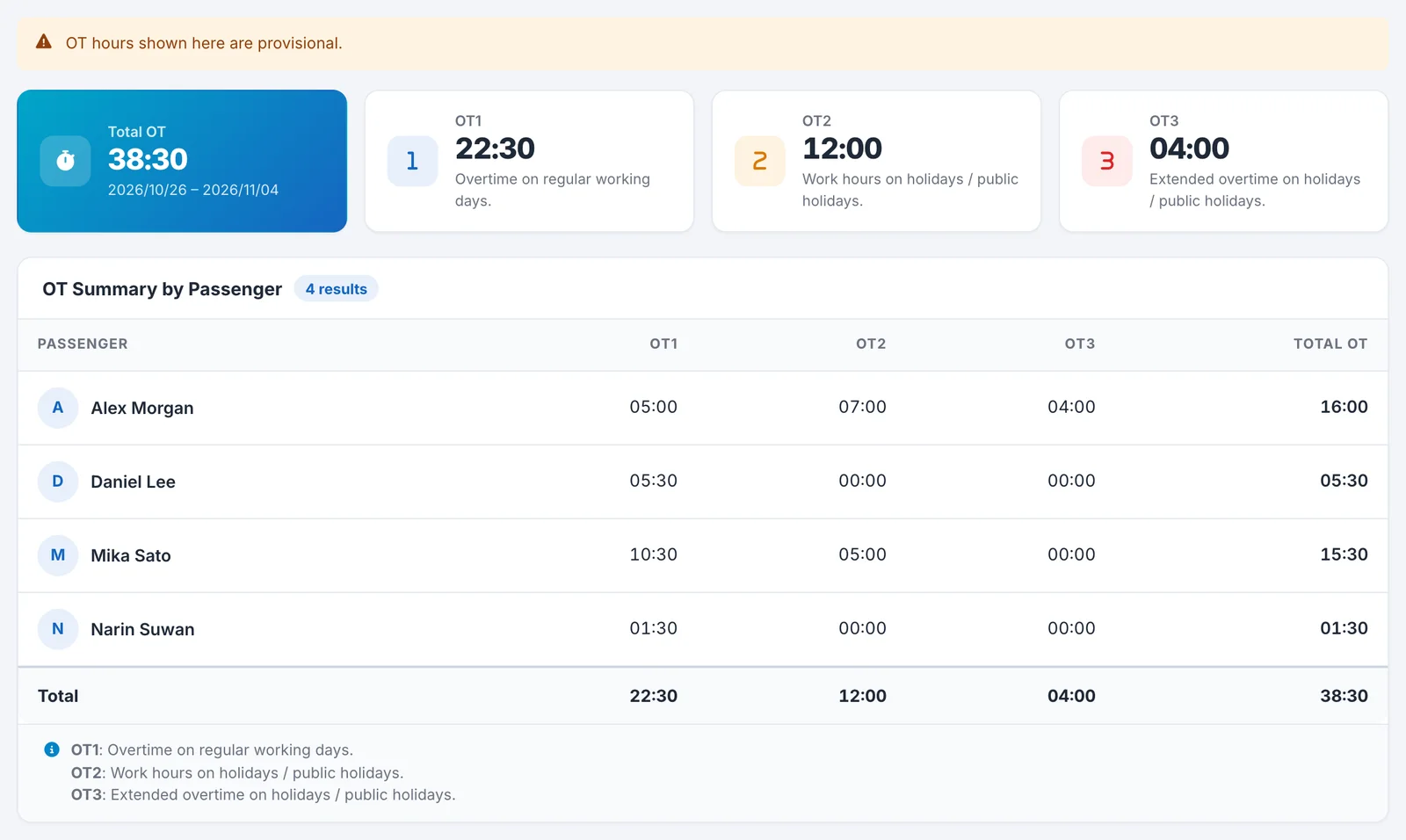
Above the results, four cards show the overall totals.
| Display | Description |
|---|---|
| Total OT | The sum of OT1, OT2, and OT3 |
| OT1 | Overtime on working days |
| OT2 | Hours worked on Holidays and public holidays |
| OT3 | Overtime on Holidays and public holidays |
Below that, the “OT Summary by Passenger” table shows OT1, OT2, OT3, and their total (Total OT) for each Passenger. The “Total” row at the bottom is the overall total. Timesheets with no assigned Passenger are grouped into a single row with ”-” in the Passenger column.
Times are shown in “hours:minutes” format.
What OT1 / OT2 / OT3 mean
The overtime category depends on whether the day is a working day or a Holiday or public holiday.
| Category | Day | Description |
|---|---|---|
| OT1 | Working day | Overtime hours |
| OT2 | Holiday or public holiday | Hours worked that day |
| OT3 | Holiday or public holiday | Overtime hours that day |
Total OT is OT1, OT2, and OT3 added together. It includes the hours worked on Holidays and public holidays (OT2).
Days that have only leave and no timesheet record are not included in the summary. You can also see OT1, OT2, and OT3 for each timesheet in the timesheet details.
The figures are provisional
As the message “OT hours shown here are provisional.” above the results says, the figures on this screen are provisional. Please check with DriveZ for the final hours.