
HELP CENTER
Getting started with DZ Chat for company staff
DZ Chat is DriveZ's multilingual chat that connects company staff with passengers, drivers, and DriveZ. Sign in from a web browser with a username and password.
Last updated: 2026-10-05
What is DZ Chat?
DZ Chat is DriveZ’s multilingual chat. Company staff use it to communicate with passengers, drivers, and DriveZ.
How to sign in
Sign in with your username and password. On your first login, you’ll be asked to change your password. Google Chrome is the recommended browser.
What’s on the screen
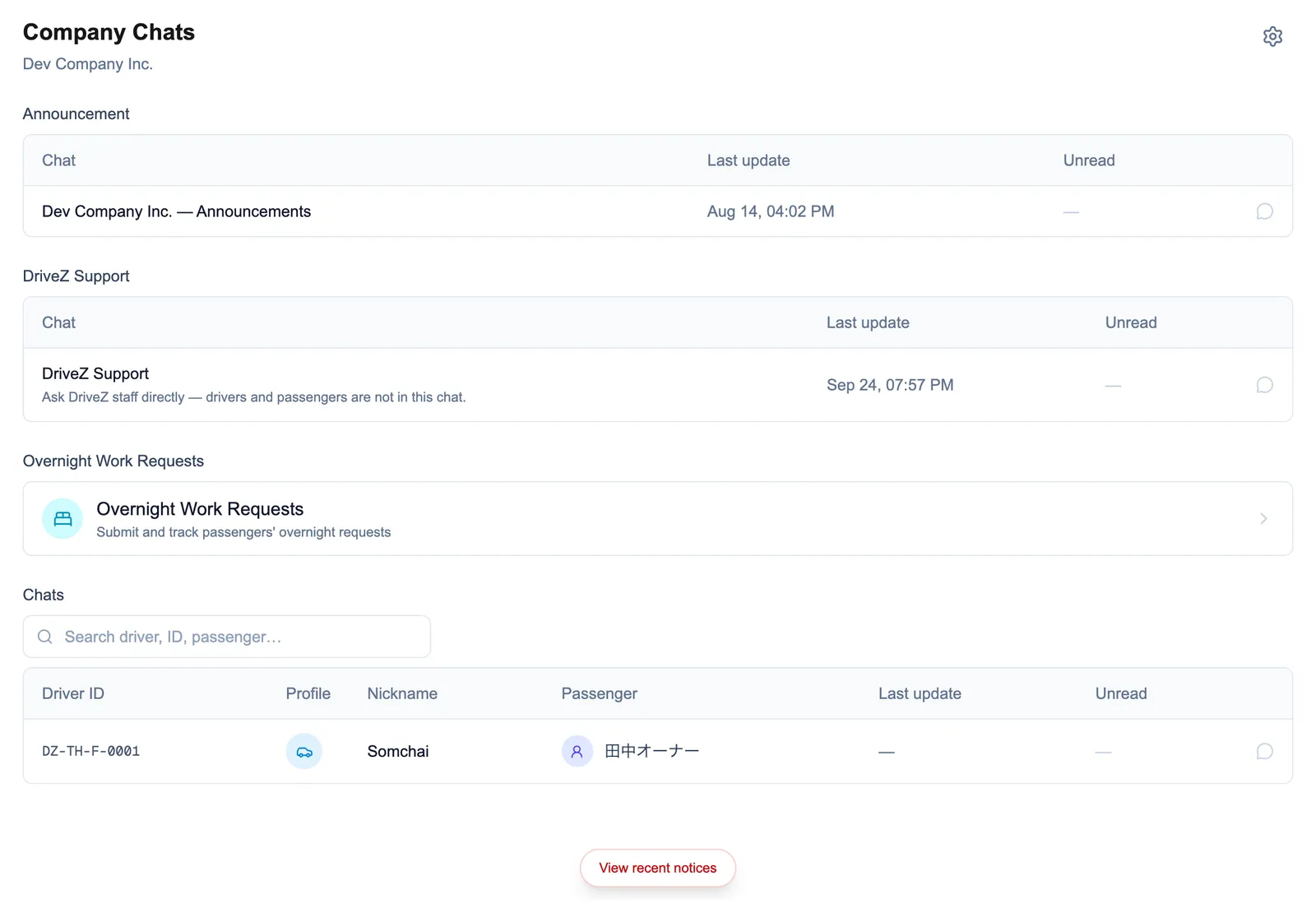
After signing in, the screen title is “Company Chats”, with these sections. You can use the screen in 日本語, English, or ไทย (English is the default).
| Section | What it’s for |
|---|---|
| Announcement | Sending announcements to all passengers and drivers |
| DriveZ Support | Communicating with DriveZ’s support staff |
| Overnight Work Requests | Submitting and tracking requests for work that involves an overnight stay (details) |
| Chats | Checking the status of passenger–driver chats (a search box and a table) |
About emergency notices
Emergency notices from DriveZ arrive separately from these sections, as full-screen notices. See Receiving emergency notices for details.