
HELP CENTER
Receiving emergency notices
Emergency notices are sent by DriveZ and arrive in the app, not by SMS. They appear as a dialog over the screen, and you can't dismiss one until you've confirmed it.
Last updated: 2026-10-05
What emergency notices are
Emergency notices are sent by DriveZ to passengers and company staff. They arrive in the app (or, for company staff, on the web screen), not by SMS.
You can’t dismiss one until you confirm it
An emergency notice appears as a dialog over the screen you have open. It doesn’t take you to a different screen, and you can’t close it until you’ve confirmed it.
- A dialog titled “Emergency notice from DriveZ” appears
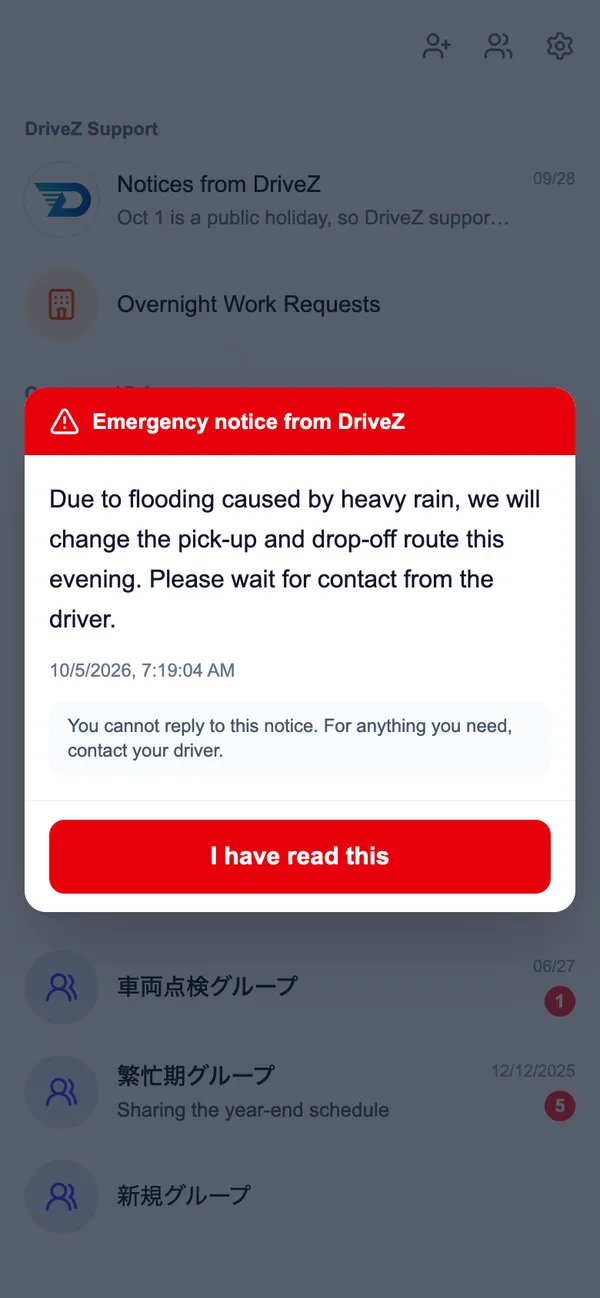
- Tap “I have read this”
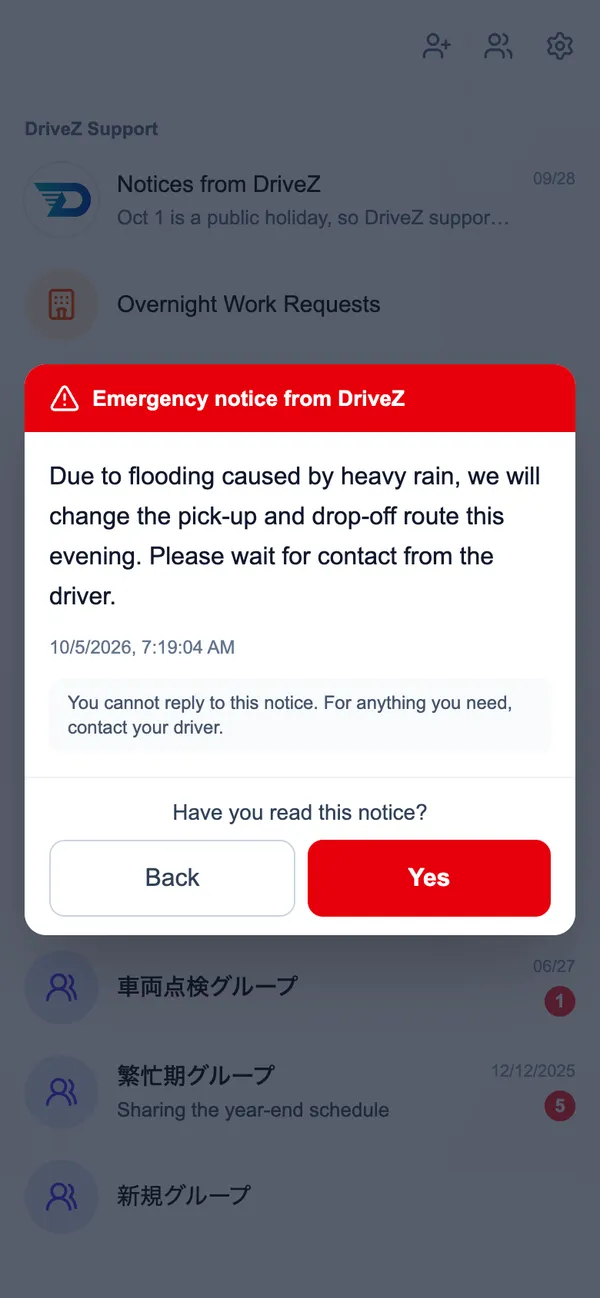
- You’ll be asked “Have you read this notice?” — choose “Yes” (or “Back” to reread it)
You can’t reply
You can’t reply to an emergency notice. The dialog also says “You cannot reply to this notice. For anything you need, contact your driver.”
Viewing recent notices
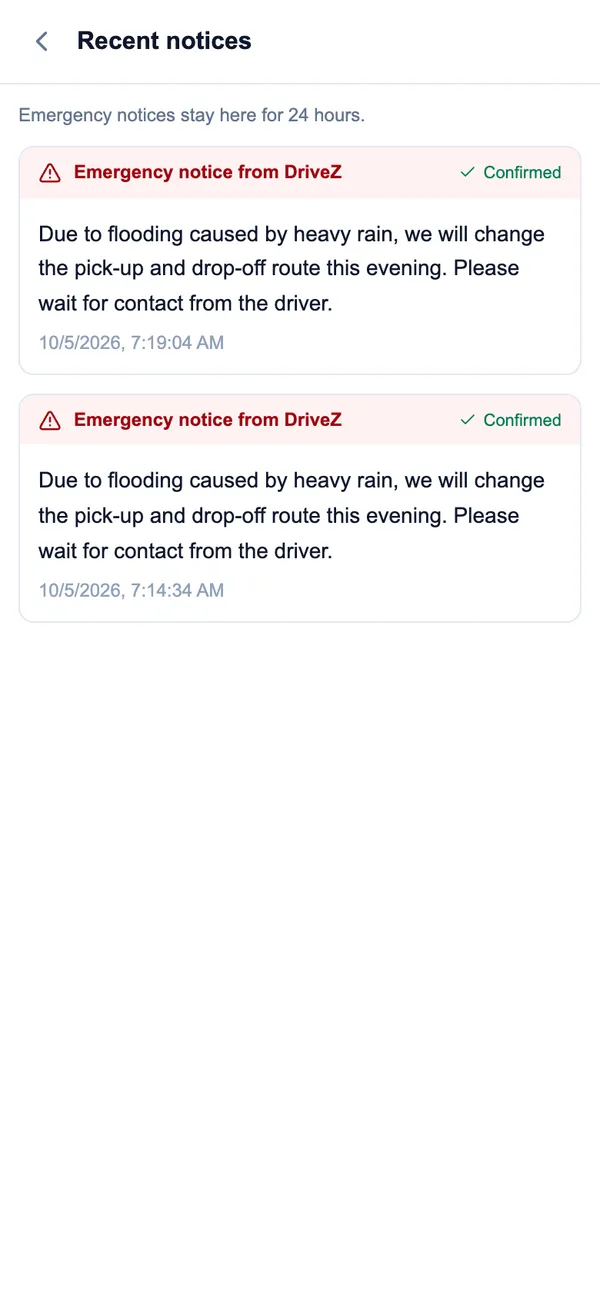
“View recent notices” on the home screen opens the “Recent notices” screen, which lists emergency notices sent within the last 24 hours. Ones you’ve already confirmed are marked “Confirmed”. Emergency notices don’t appear in your chat list.
About notifications
The push notification shows “⚠️ DriveZ Support”.
For company staff
Emergency notices reach the company staff screen the same way. They aren’t a section within DZ Chat — they’re shown as a dedicated emergency notice dialog, confirmed the same way. You can’t reply to these either.