
HELP CENTER
Understanding Alerts
Alerts covers speeding, vehicle alarms, a parked vehicle moving, and movement outside working hours. These are also pushed to your phone.
Last updated: 2026-10-05
What gets alerted
DZ Fleet sends a push notification to your phone for:
- Speeding
- Vehicle alarms (SOS, collision, power cut, low battery, signal jamming, tampering)
- A vehicle you’ve set to Parked starting to move
- A vehicle moving outside working hours
Tapping the push opens that vehicle in the Fleet tab, or the alert list. You can also review past alerts from the Alerts tab.
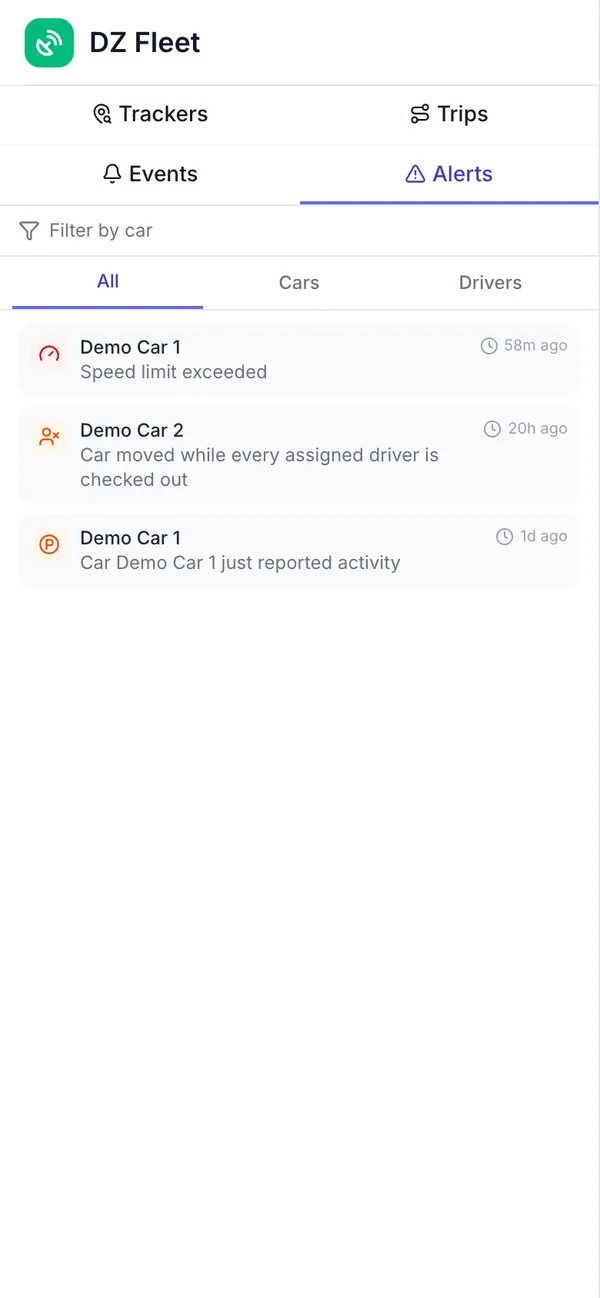
Two ways unexpected movement is detected
Unexpected vehicle movement is caught in two ways:
- Off-duty movement: Drivers clock in and out in the DDash app. If the vehicle moves while no one is clocked in, you get an “off-duty movement” alert. If several drivers share the vehicle, it only counts once all of them are clocked out. This detection needs a DriveZ driver using DDash — the map, route history, speeding, and vehicle alarm alerts all work without one.
- Parked movement: A passenger can switch a vehicle to Parked, so you’re alerted if it moves even while its driver is on duty — useful during a meeting, dinner, or a round of golf. If it moves while Parked, you get a “parked vehicle moved” alert. See Using Parked mode for details.