
HELP CENTER
What you can do with DZ Fleet
DZ Fleet is DriveZ's optional vehicle-tracking service, showing vehicle location in real time. You use it from the Fleet tab in the DDash Passenger app.
Last updated: 2026-10-05
What is DZ Fleet?
DZ Fleet is DriveZ’s optional vehicle-tracking service. It shows a vehicle’s current location in real time, lets you view its route history, and sends alerts. It’s a service for protecting the vehicle, and you use it from inside the DDash Passenger app.
Opening the Fleet tab
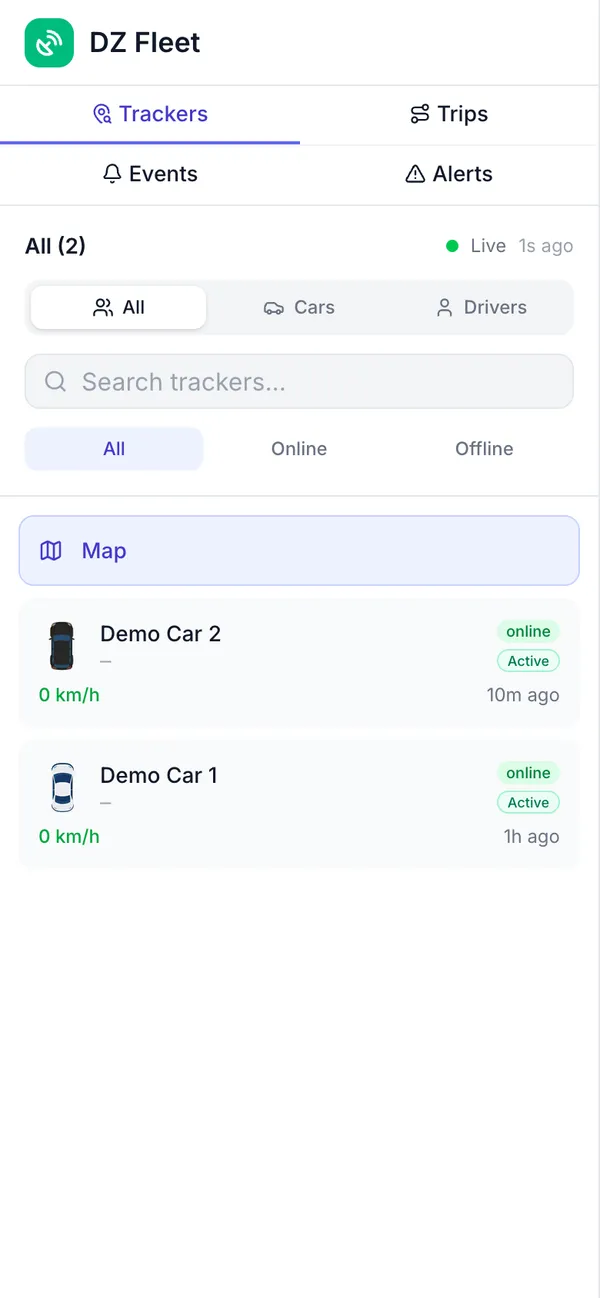
Open DZ Fleet from the “Fleet” tab in the DDash Passenger app. You don’t need to sign in separately.
Access is enabled by DriveZ, per company and per passenger. If it hasn’t been enabled for you yet, the Fleet tab shows a “Request access” button. Tap it to let DriveZ know you’d like to use it.
Once access is enabled, you can only see the vehicles linked to you.
Menu overview
The Fleet tab has four menus: Trackers, Trips, Events, and Alerts. Alerts shows an unread count.
Getting started
Pricing for DZ Fleet depends on the number of vehicles and how you plan to use it, so start by talking to DriveZ. From there, it’s a proposal and quote, then device fitting and setup, and then you’re up and running. See the DZ Fleet service page for more.