HELP CENTER
Using Parked mode
When a passenger switches a vehicle to Parked, you're alerted if it moves, even while the driver is on duty. Use it during a meeting, dinner, or a round of golf.
Last updated: 2026-10-05
What Parked mode is
As a passenger, you can switch a vehicle to Parked. Use it while the car is parked — during a meeting, dinner, or a round of golf, for example. If the vehicle moves while Parked, you get an alert.
How to switch it
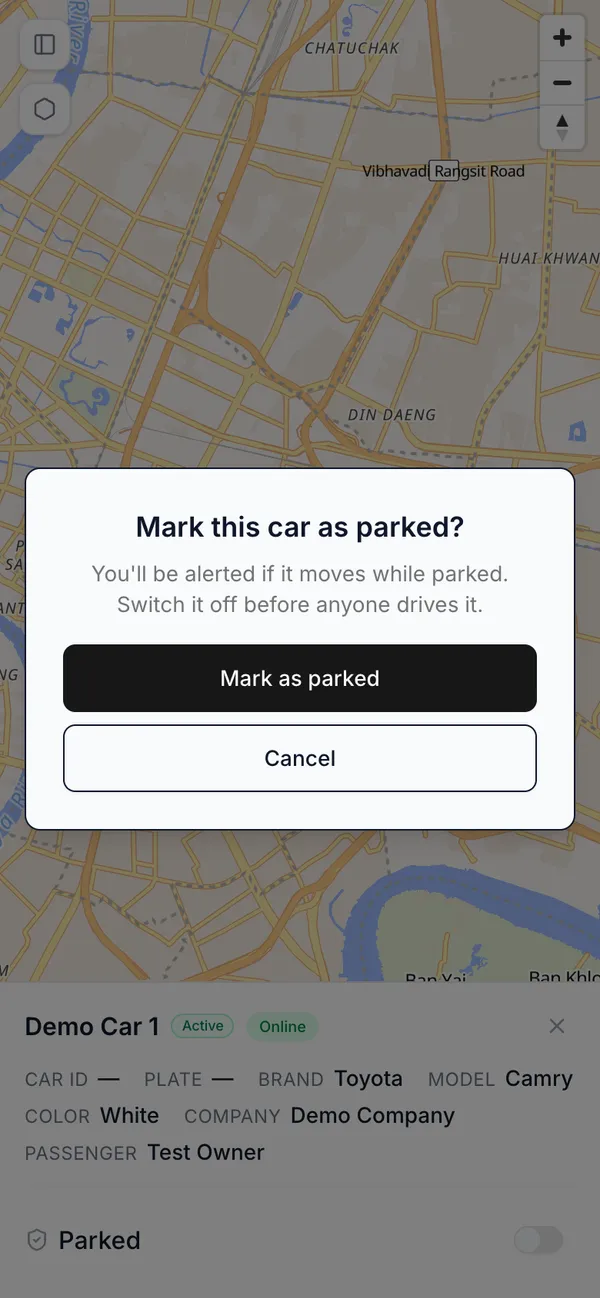
Switch Parked on or off from the vehicle’s details panel. Turning it on shows a confirmation screen:
- Title: “Mark this car as parked?”
- Body: “You’ll be alerted if it moves while parked. Switch it off before anyone drives it.”
- Button: “Mark as parked”
Choosing “Mark as parked” completes the switch. Turning it off takes effect immediately.
What you’ll see afterward
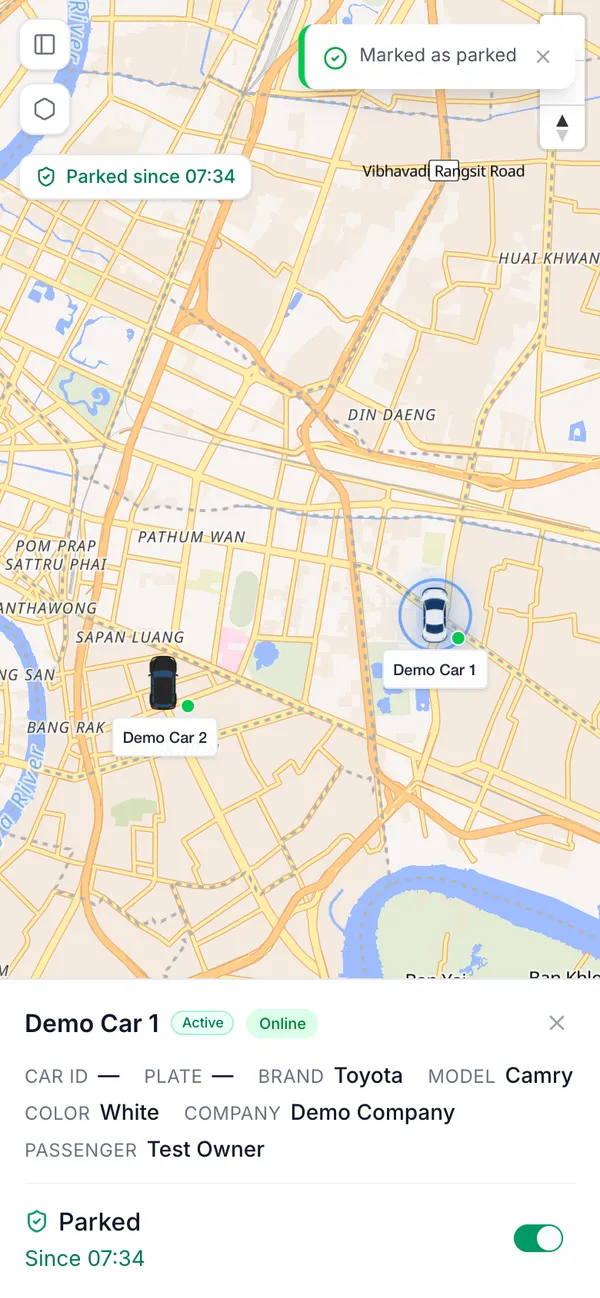
After switching, you’ll see “Marked as parked” or “Unmarked”. On the map, the vehicle shows the time it was switched, like “Parked since 14:32”.
For what happens when a parked vehicle moves, see Understanding Alerts.