
HELP CENTER
Canceling a message
You can cancel a message within 5 minutes of sending it. A canceled message is removed from the conversation. After 5 minutes, it can't be canceled.
Last updated: 2026-10-05
When and how you can cancel
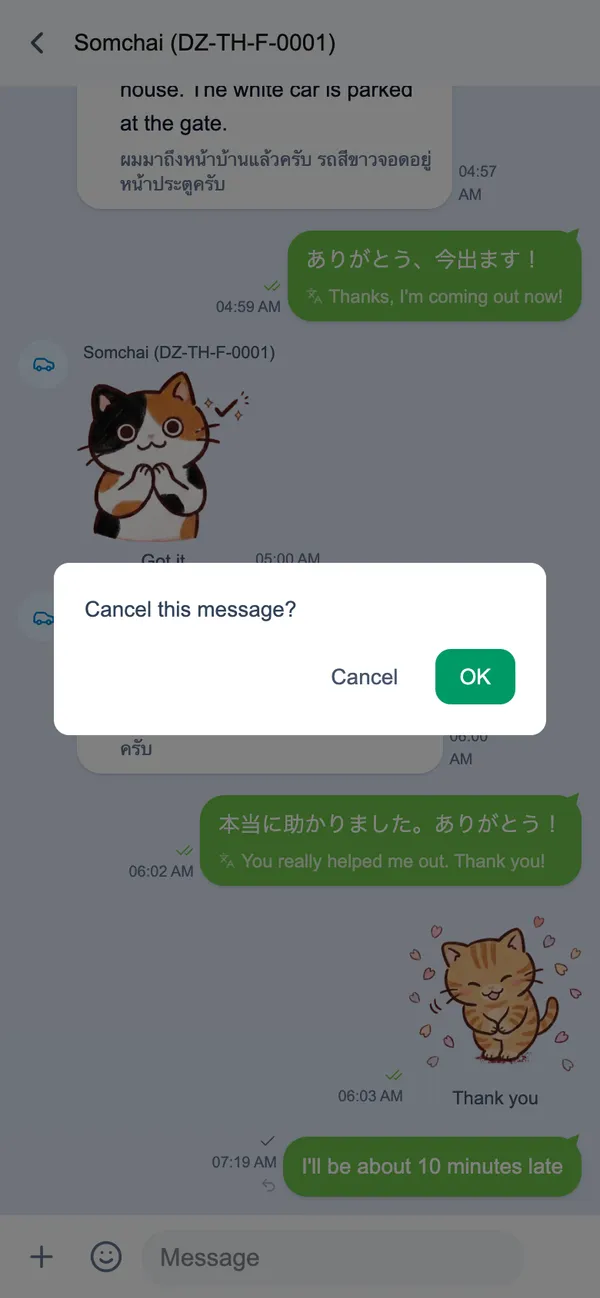
A small cancel icon appears next to the time of each message you sent. It is shown only during the 5 minutes after sending.
- Tap the icon next to the time of the message you want to cancel
- When “Cancel this message?” appears, choose “OK” (or “Cancel” to keep it)
After 5 minutes the icon is no longer shown and the message can’t be canceled.
What happens to a canceled message
A canceled message is removed from the conversation, on your screen and on the other person’s. Nothing is left behind to show that it was canceled.
Messages can’t be edited
Sent messages can’t be edited. If you need to fix a message, cancel it (within 5 minutes) and send a new one.