
HELP CENTER
Marking a timesheet record as private use
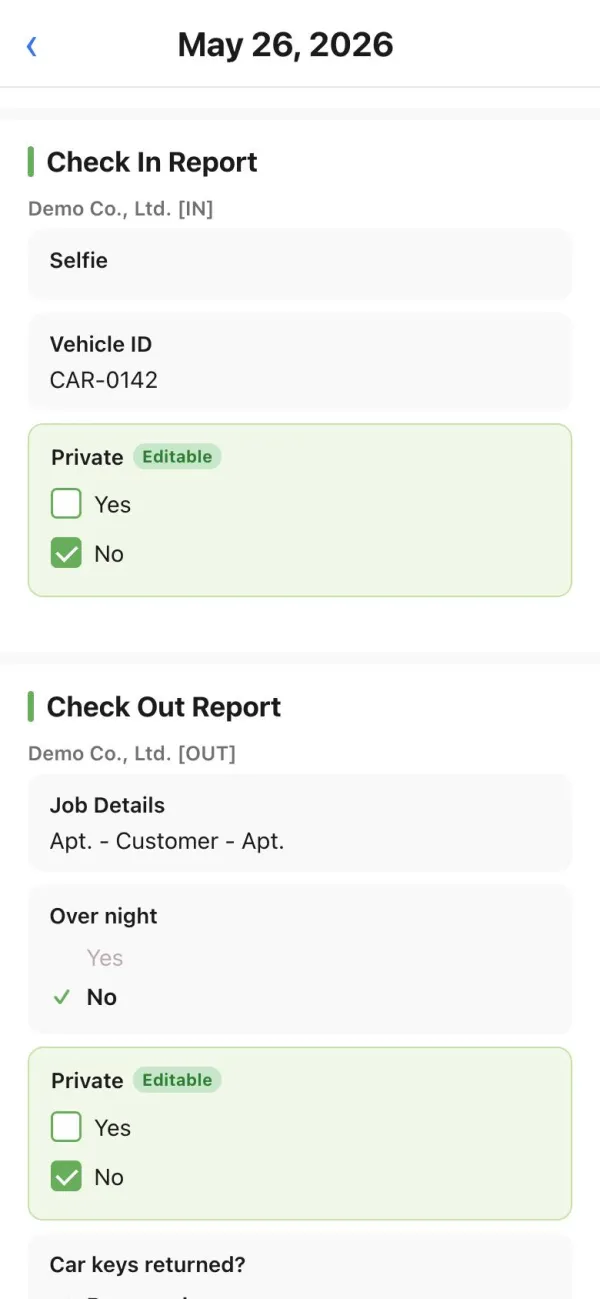
In the timesheet detail view, change the Private item for check-in or check-out to Yes to register that record as private use.
Last updated: 2026-11-02
What registering private use means
Each attendance record has a “Private” item for both check-in and check-out. If the driver was used for private rather than business purposes, the passenger can change this item to Yes in the app.
Items you can change are marked with an “Editable” label. The Private items for check-in and check-out are changed separately.
How to change it
- Open the Timesheet menu and tap the date in the Timesheet tab
- Scroll down the detail view to find Private under “Check In Report” or “Check Out Report”
- Tap Yes under Private
- When the “Update Private?” confirmation appears, tap Update
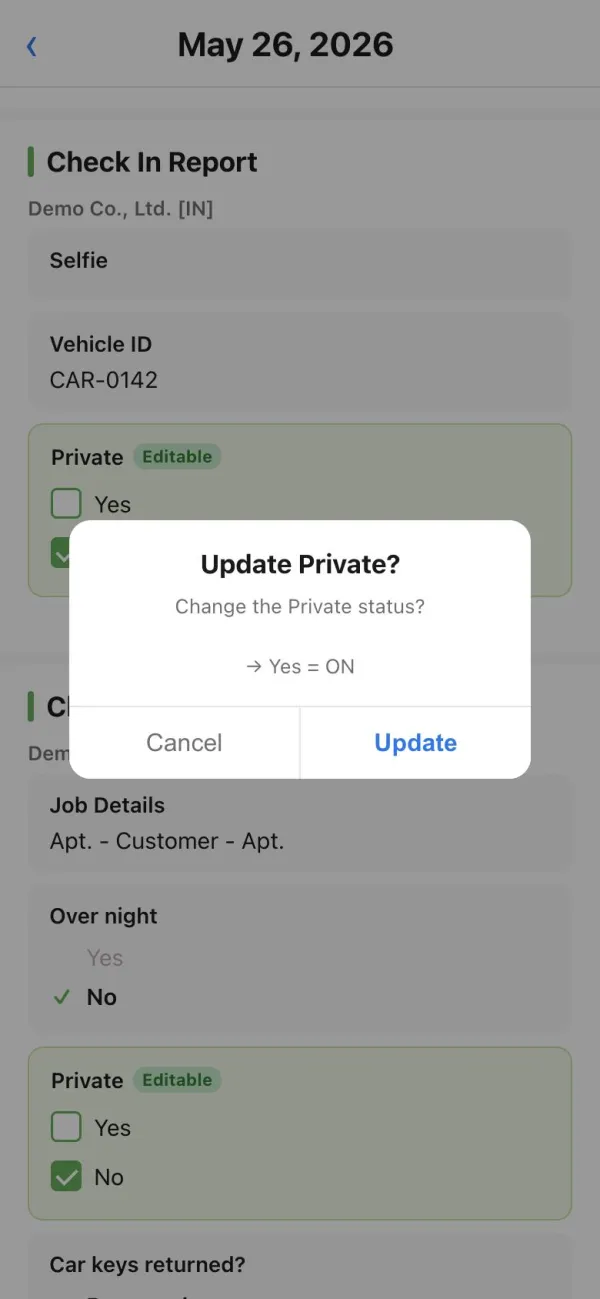
Once updated, Yes is checked under Private.
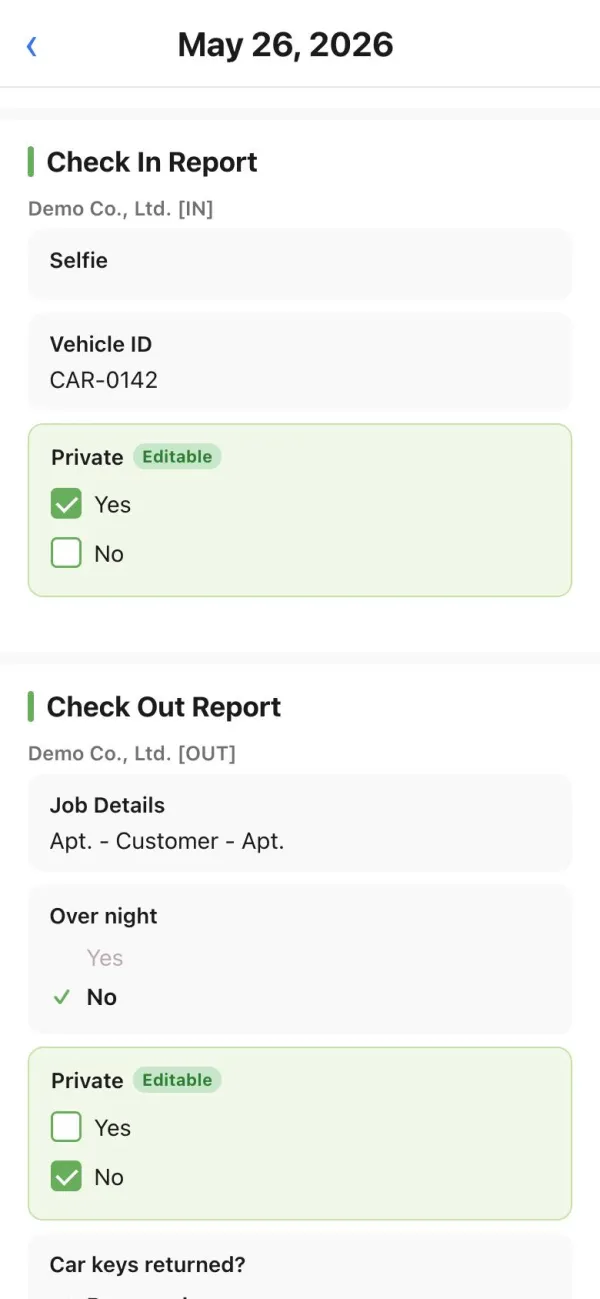
Changing it back
Follow the same steps, tap No under Private, then tap Update. If you tap Cancel in the confirmation, nothing is changed.
When you can’t change it
Records for days whose attendance has been finalized (locked) can’t be changed. In that case, the “Editable” label isn’t shown on Private.